Current Page: 23
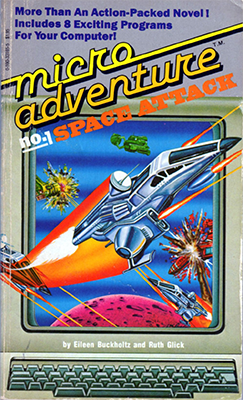
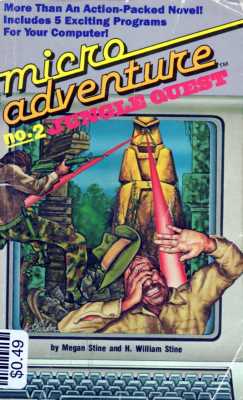
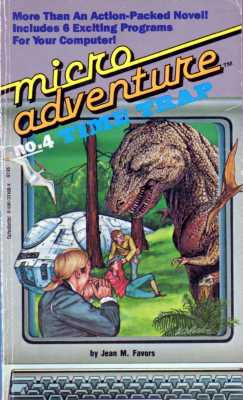
Micro Adventure Book: Coming Soon!

Terms You Need to Know
Computer experts have a special “language” they use when talking about programs. Here are some common terms that you should know as a programmer.
Array
Arrays are groups of two or more logically related data elements in a program that have the same name. However, so that the individual elements in the array can be used, each is also identified by its own address (called an index by programmers). You can think of an array as an apartment building. One hundred people might live at the Northwest Apartments (or 100 pieces of information might be stored in the NW Array). But each unit within the building has a number (like Apt 14), so that it can be located and receive mail. In the NW Array, 14 could be the index to find a particular piece of information, and would be written NW (14). If you put the 26 letters of the alphabet into an array called Alpha$, then Alpha$(2) would equal “B” because “B” is the second letter of the alphabet.
ASCII
ASCII (pronounced asskee) is the standard code used by most microcomputers to represent characters such as letters, numbers, and punctuation.
ASC
ASC is a function in BASIC that will supply a character's ASCII code. For example ASC(“A”) will give you the number 65.
BASIC
Short for Beginner's All Purpose Symbolic Instruction Code. A programming language. BASIC was one of the first approachable programming languages, and shipped in the ROM Of the early Apple II, Commodore and other early personal computers. Most operating systems came with a version of the language so enthusiasts could quickly write their own programs. Many flavors of BASIC have been created, including Applesoft BASIC - included on Apple IIs, Integer BASIC - created by Steve Wozniak, IBM Advanced BASIC - used here, GW-BASIC, Visual BASIC, and many others. While simple, BASIC is incredibly powerful, limited only by the imagination of the programmer and the hardware it runs on.
Bug
Bugs are errors or mistakes in a program that keep it from doing what it's supposed to do. Some of the programming activities in this book will ask you to find and fix a bug so that the program will work correctly.
Function
Functions are ready-made routines that perform standard calculations in a program. It's sort of like having a key on a calculator that computes a square root or percentage of a number. The programming language BASIC comes with a number of standard functions to perform certain tasks. For example, the function SQR (x) will find the square root of any number when x is replaced by that number. You might want to check the BASIC manual that came with your computer to see which functions are available on your system.
INT
INT is a function that changes any number that you supply into a whole number or integer. For example INT(4.5) will return the value 4. For numbers greater than 0, INT just throws away any fractions and supplies you with the whole number.
LEN
LEN is a function that tells you the number of characters in a string of letters, number, or other symbols. For example, if a variable string called A$ contained “STOP” then LEN(A$) = 4.
Loop
Loops are sections of programs that may be performed a specified number of times, or until certain conditions are met. For example, if you. wanted to write a program that would count from 1 to 100, a loop could be used to keep adding 1 to a counter variable until the number 100 was reached. Loops are most commonly formed with FOR/NEXT statements or GOTO commands. You'll find many examples. of these in the programs in this book.
Random Number Generator (a.k.a. RNG)
Random Number Generators, which are functions, which is called RND in BASIC, lets you generate numbers at “random” just as though you were throwing a set of dice and didn't know which number was going to come up next. In most home computers, the RND function returns a fraction between 0 and 1. To get numbers in a larger range, the program must multiply the fraction by a larger number. For example, RND * 10 will produce numbers between 0 and 10.
REM (a.k.a. Comment)
REM is used to tell the computer that whatever is on a particular line is just a comment
and should not be executed. An example might look like this:
10 REM THIS PROGRAM DOES A COUNTDOWN.
Strings
Strings are groups of one or more letters, number, or other symbols that are treated as a unit. IN the English language, a collection of letters that make up a word can be thought of as a string. In a program, the information in a string is of often enclosed in quotation marks to let the computer know that the symbols are to be treated as characters. In the string “123” the program is dealing with the characters 1, 2, and 3, not the larger number 123. The computer is storing these as the ASCII values for 1, 2 , and 3 which are 49, 50, and 51. A string that is empty and has no characters in it is called a null string and is represented as "".
Subroutines
Subroutines are parts of a program or a sequence of instructions called by a program to perform a general of frequently used task. In some of the program in this book, subroutines are used to position the cursor or get input from the screen.
Variables
Variables are names used to represent values that will change during the course of a program. For example, a variable named D$ might represent any day of the week. It may help you to think of a variable as a storage box, waiting to receive whatever information you want to put in. Variables that deal with strings of symbols are always followed by a dollar sign. Variables that end in a percent sign always hold integers (whole numbers like 1, 2, 3, 500). Variables with a pound sign or no special character at the end hold numbers that may contain fractions. The number of characters allowed in a variable name vanes from computer to computer.
ASCII Chart
| ASCII Code | Character |
|---|---|
| 0-32 | Special System Control Characters |
| 32 | Space (will look blank) |
| 33 | ! |
| 34 | " |
| 35 | # |
| 36 | $ |
| 37 | % |
| 38 | & |
| 39 | ' |
| 40 | ( |
| 41 | ) |
| 42 | * |
| 43 | + |
| 44 | , |
| 45 | - |
| 46 | . |
| 47 | / |
| 48 | 0 |
| 49 | 1 |
| 50 | 2 |
| 51 | 3 |
| ASCII Code | Character |
|---|---|
| 52 | 4 |
| 53 | 5 |
| 54 | 6 |
| 55 | 7 |
| 56 | 8 |
| 57 | 9 |
| 58 | : |
| 59 | ; |
| 60 | < |
| 61 | = |
| 62 | > |
| 63 | ? |
| 64 | @ |
| 65 | A |
| 66 | B |
| 67 | C |
| 68 | D |
| 69 | E |
| 70 | F |
| 71 | G |
| 72 | H |
| 73 | I |
| 74 | J |
| ASCII Code | Character |
|---|---|
| 75 | K |
| 76 | L |
| 77 | M |
| 78 | N |
| 79 | O |
| 80 | P |
| 81 | Q |
| 82 | R |
| 83 | S |
| 84 | T |
| 85 | U |
| 86 | V |
| 87 | W |
| 88 | X |
| 89 | Y |
| 90 | Z |
| 91 | [ |
| 92 | \ |
| 93 | ] |
| 94 | ^ |
| 95 | _ |
| 96 | ` |
| 97-122 | Lowercase characters |
| 126-255 | Alternate character set |
Help
Quick Tips
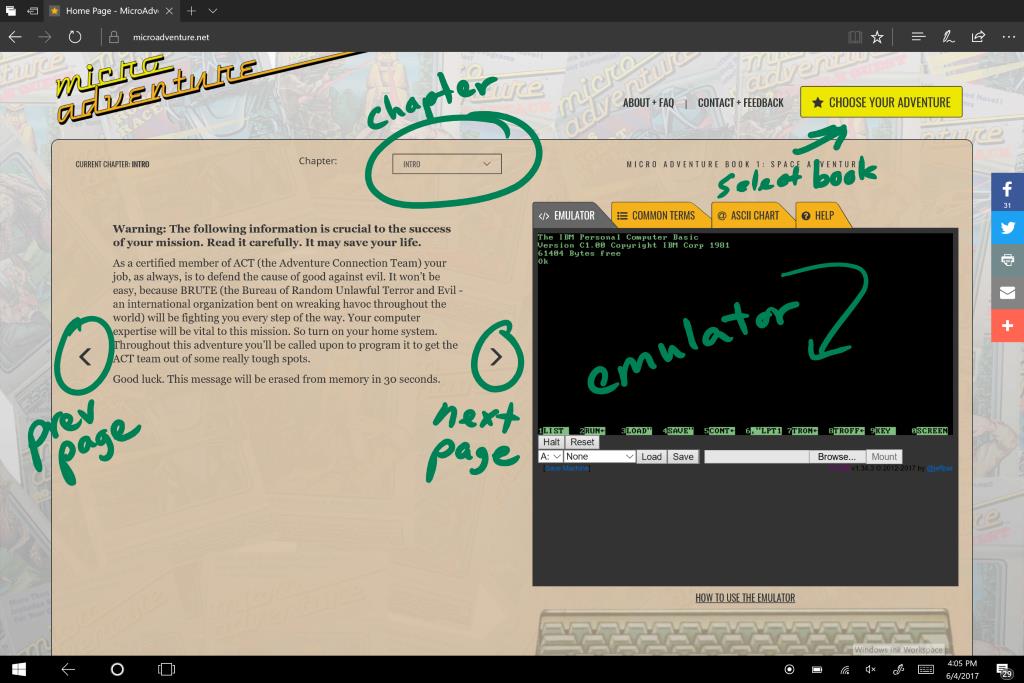
To write programs, you use the PC in the emulator tab. This is a full PC from 1984 running IBM's Advanced BASIC interpreter. That's your "development environment".
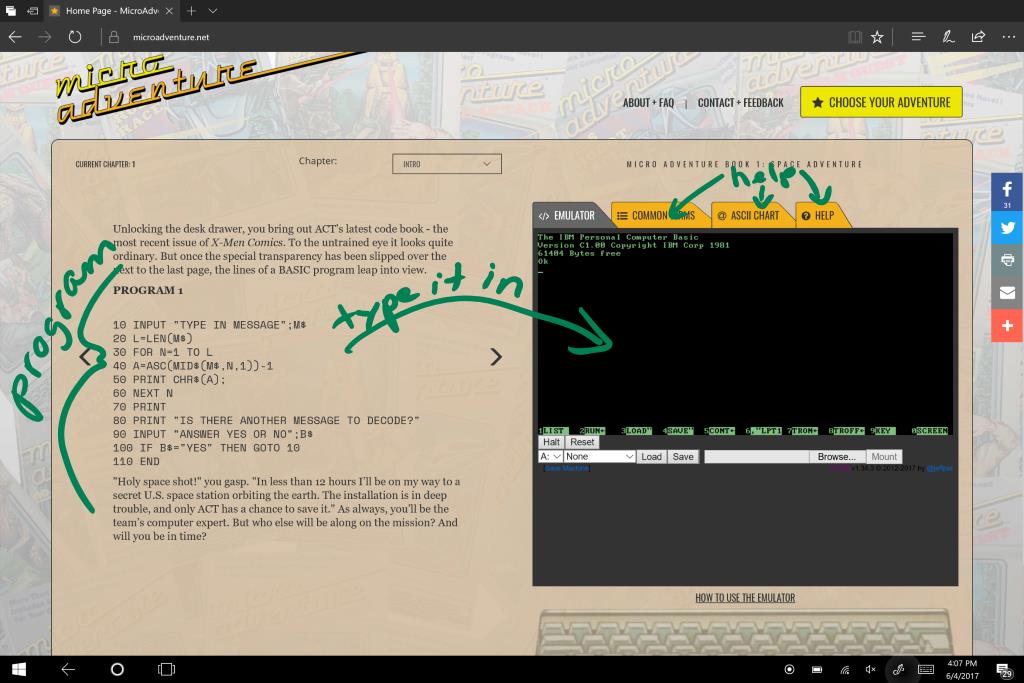
To enter a BASIC program, simply type it in exactly as shown. Line numbers matter. The computer will run the program in line number order.
If you make a mistake, don't worry. You can replace a line of code simply by typing it again with the same line number. That will automatically replace the old line number.
BASIC will tell you if an error has occurred, and on which line number. Figuring out problems like this is normal, and is called debugging.
It will be useful to keep Caps Lock enabled when typing programs into the emulator.
If you have any questions, suggestions, or feedback, please visit our Facebook page and we'll answer as quickly as possible! You can also email us from the Contact page.
Using the Emulator
The emulator is a complete IBM PC from 1984. When it starts up, which can take up to a minute, it will load IBM Advanced BASIC. You're ready to code!
BASIC, short for Beginner's All-Purpose Symbolic Instruction Code, is the programming language you will use.
To create a new program, simply start entering it.
To run a program, type RUN and hit the Enter key.
Here's a sample program you can try:
10 PRINT "HELLO WORLD!"
20 END
The program above simply prints Hello World! on the screen. BASIC is very powerful and can do much more than that, as you'll see when reading the book!
To clear the old program from memory and create a new one, type the command NEW.
To see your program, type the command LIST.
To clear the screen, but not your program, type the command CLS.
To save the machine so you can come back to it later, use the Save button at the bottom of the screen. This will give you a "disk image" you can load again later. This is useful when multiple people are using the same computer. IMPORTANT! This does not save your files. You must save files to the disk first, using the SAVE command below, and then you can save your disk for later.
To load the machine with your saved disk, click Mount, select your saved disk, and then click Load. Then, press Reset and your disk will be loaded.
To save a program, type SAVE "FILENAME.BAS, where FILENAME is up to 8 characters. I recommend you name them PROGRAM1.BAS, PROGRAM2.BAS, and so forth. IMPORTANT! You must first select a disk at the bottom to save onto!
To load a program, type LOAD "FILENAME.BAS, where FILENAME is up to 8 characters.
What Are These Commands and Statements?
As you look through the programs, you may see some commands and statements that look foreign. The Common Terms tab will help you there.
When you see INPUT I, that inputs a number into a variable named I.
When you see INPUT A$, that inputs a string, which is zero or more characters, into a variable named A. The $ denotes the variable holds a string of characters.
These two ways of storing information in variables is called variable types. One is a number, and the other is a string.
When you see a semicolon (;) after a string, that adds some spacing after the string.
> means "greater than". >= means "greater than or equal to". This is a logical comparison operation.
< means "less than". <= means "less than or equal to".
<> means "not equal to".
= means "equal to" when comparing values, and means "assigned the value of" when assigning values to variables.